Welcome to Brody Box TV! You have made a great choice and we want to help you get up and running as quickly as possible.
Please use the following to details to use your service.
Please download one of our Apps from the instructions below...
You will need to have the "Downloader" app installed on your streaming device then use one of the codes below to install one of our apps.
To access our IPTV APP put this code in the Downloader app : 407889
(Note: If you have TIVIMATE already installed on your device you will need to uninstall it before installing our App.)
To access our Movie VOD APP put this code in the Downloader app : 810953
Once apps is installed then you can go to the app and login with your username and password.
Alternatively, if you prefer the Smarters Interface (recommended for Android phone users) you can download our Smarters App using this code: 746418
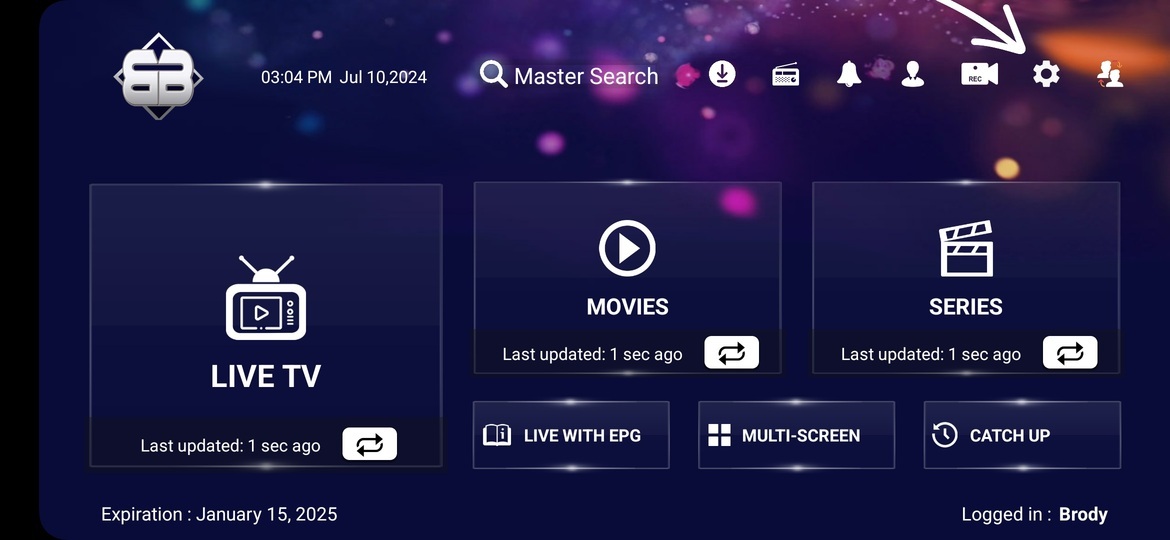
Using the Smarters App on a firestick or similar device requires you to make the following changes once you log in.
2. Select Players Settings
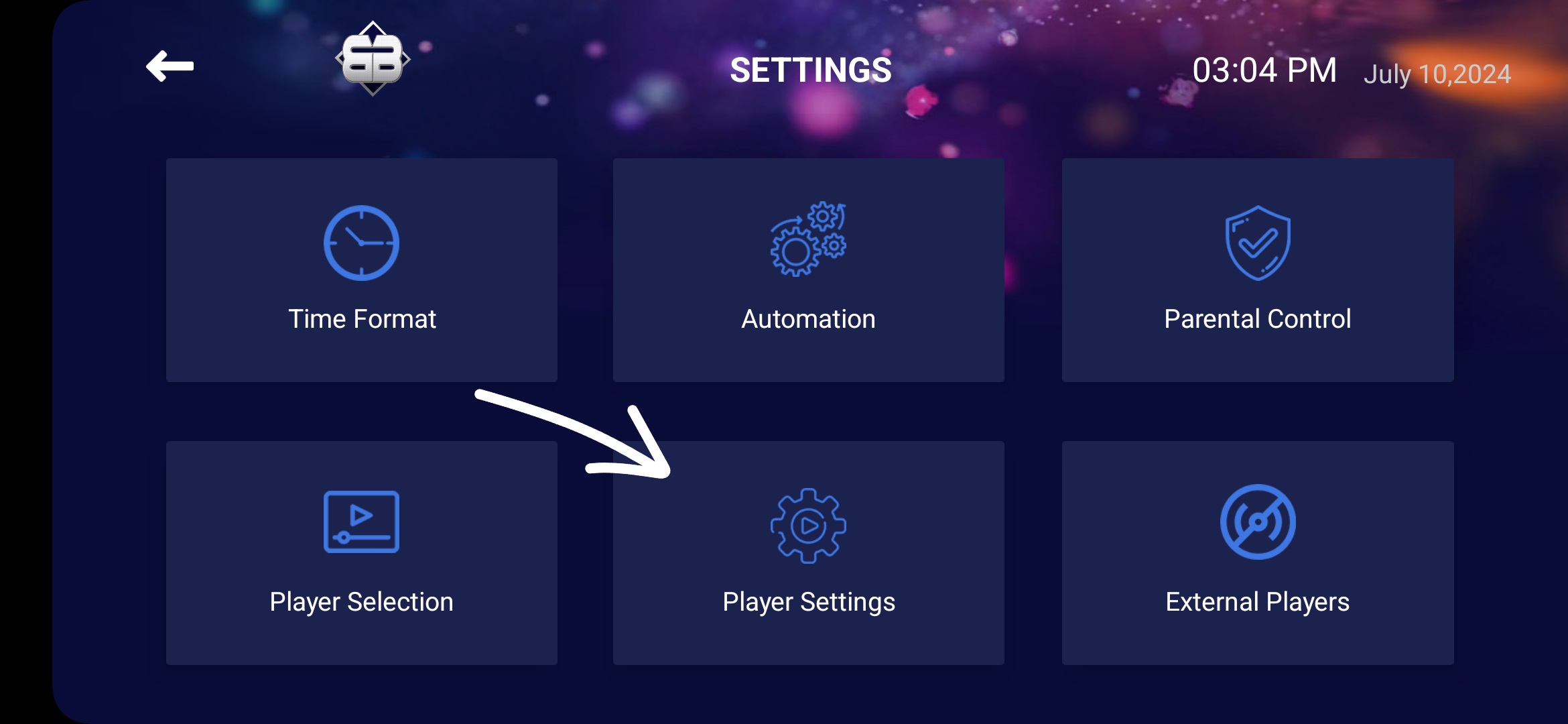
3. Change it to Software Decoder and save changes.